Feature
Choose how your vault opens
Sealed has seven lock screen styles: Keypad, Vault Dial, Padlock, Rotary, Cryptex, Three Turns and Knock. In Settings you can try every lock screen style live before choosing one, and nothing you try there is saved or counted as a wrong attempt. Every lock screen style is another way to enter your passcode, so it changes how you enter it and not how many combinations it has. Every lock screen style except the Keypad is part of Sealed Pro.

On this page
Open the gallery and try them
You don’t have to guess from a description. To choose a lock screen, open Settings, then Passcode & Unlock, and tap Lock Screen: each style has its own page to try it on, with a Use This Lock Screen button.
- In Sealed, tap Settings, then Passcode & Unlock.
- Tap Lock Screen. A full-screen gallery opens with the words “Try each one. Nothing here is saved.”
- Swipe left and right between the styles, or use the arrows under them.
- Turn, pull or tap the lock on each page. In Settings you can try every lock screen style live before choosing one, and nothing you try there is saved or counted as a wrong attempt.
- Read the line under the style’s name. It says what the style needs from your passcode, or whether it will make a new one.
- Tap Use This Lock Screen on the one you want. On a Pro style without Pro, the button reads Get Sealed Pro.
One passcode, seven ways to enter it
Every lock screen style is another way to enter your passcode, so it changes how you enter it and not how many combinations it has. Choose the length of your passcode for safety, then the style for how it feels in your hand. The passcode guessing guide puts numbers on length.
Keypad
The digits or the password field you know. It takes any passcode and is free for everyone.
Vault Dial
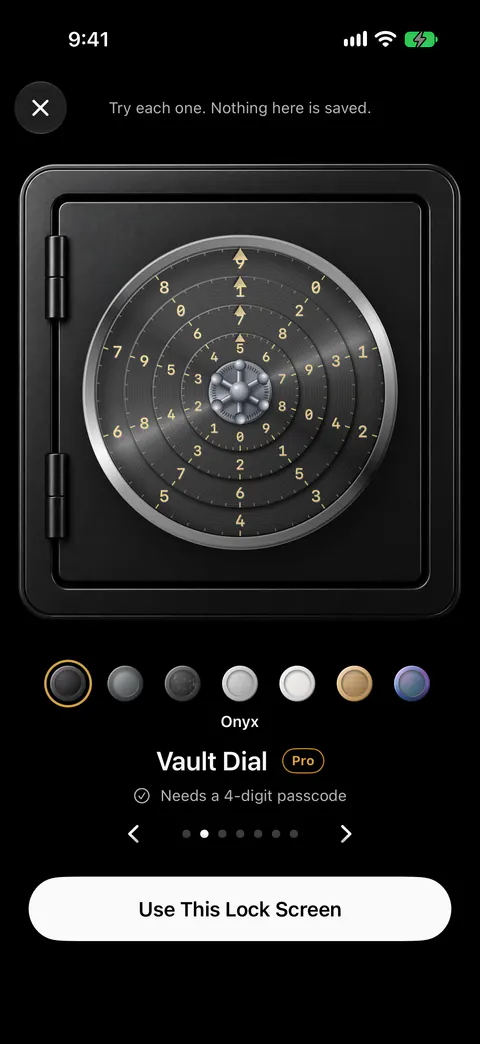
The Vault Dial turns a 4-digit passcode on four rings set in a vault door, and you can choose from seven door finishes. You choose the vault door’s finish on the Vault Dial’s page of the lock screen gallery, and while the dial is your lock screen a Vault Door row in Settings changes it too.
Padlock
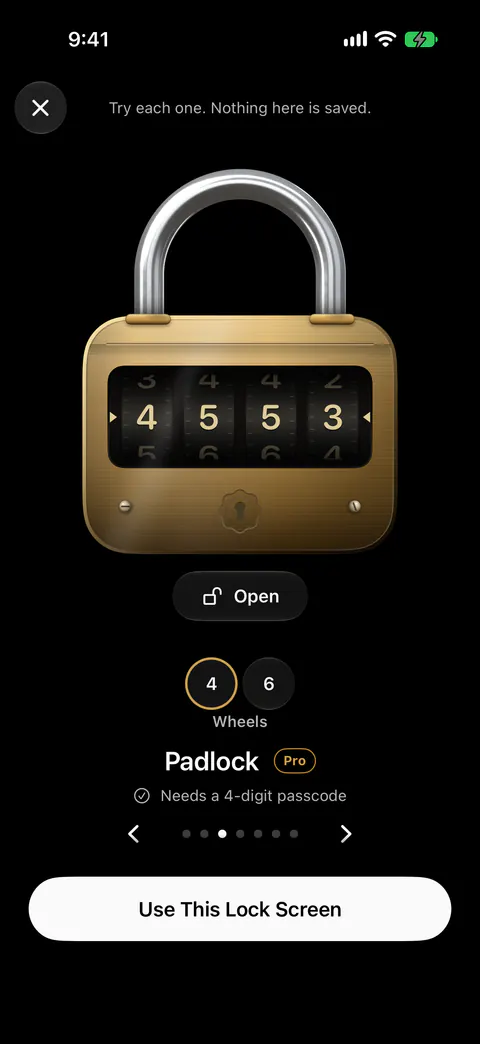
The Padlock has four wheels for a 4-digit passcode or six wheels for a 6-digit passcode. On the Padlock’s page you can pick four or six wheels, and a number of wheels that doesn’t match your passcode makes a new combination of that length your passcode.
Rotary
Rotary is a telephone dial that works with any numeric passcode of 4, 6 or 9 digits. On the Rotary dial you pull each number round to the stop, and a number let go before the stop is not dialed.
Cryptex
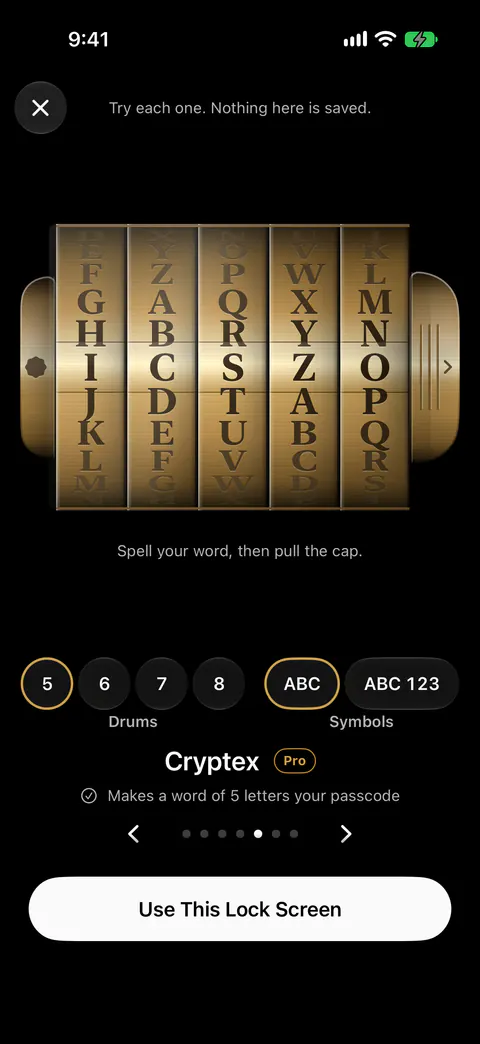
Cryptex makes a word spelled on 5 to 8 drums your passcode, with drums of letters, or of letters and numbers.
Three Turns
Three Turns is one dial numbered 00 to 99, turned to three numbers that are the six digits of a 6-digit passcode. On Three Turns you turn the dial to a number and lock it in, and two buttons move the dial one number back or forward.
Knock
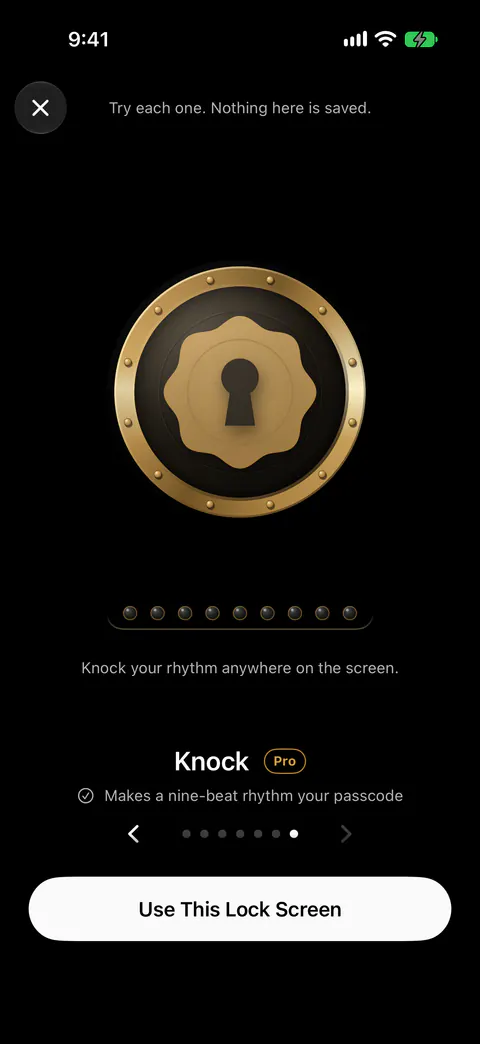
Knock makes a nine-beat rhythm of taps and holds your passcode, and it reads the shape of the rhythm, not its speed. Knock refuses a rhythm that is too even and asks you to add a slow pause or a hold. If Knock can’t read a rhythm with confidence, it asks you to try again and doesn’t count it as a wrong attempt.
Styles that make you a new passcode
Most styles read the passcode you already have, if its format fits. Two always replace it, and the Padlock can. Choosing Cryptex or Knock replaces your passcode with the word or the rhythm, and Sealed says first if that removes a decoy or duress passcode.
Before anything changes:
- Before a lock screen’s setup replaces your passcode, an alert titled Change Passcode says which decoy or duress passcode goes with it, and you can cancel.
- A Cryptex word, a Knock rhythm or a new Padlock combination is set by entering it once and then again.
- Once your rhythm is set, Knock shows the nine digits it stands for on the keypad and asks you to keep them somewhere safe, because they open the vault if you can’t knock it.
If you keep a decoy vault on Cryptex or Knock, its code moves to the same lock. With the Cryptex or Knock as your lock screen, the decoy code is made on that lock’s own surface, as a word or a rhythm. The decoy vault page has the rest.
You are never shut out by the picture
Rotary, Cryptex, Three Turns and Knock always keep a way to type the same passcode instead: the keypad, or the password field for the Cryptex.
The Vault Dial and the Padlock show a keypad button too, unless you turn it off. With the Vault Dial or the Padlock, a Dial Only or Padlock Only switch takes the keypad away, so the wheels are the only way to enter your passcode, while Face ID or Touch ID and a pattern still work.
Wrong tries count the same in every style, and the wait that follows them is the same. The wait is part of every vault: it doesn’t need Break-In Alerts or Sealed Pro. Your face or fingerprint still works too. With any lock screen style other than the Keypad, the lock screen opens on the lock and doesn’t ask for your face by itself; a Use Face ID or Use Touch ID button stays one tap away. The Face ID page explains that part.
Free or Pro
Every lock screen style except the Keypad is part of Sealed Pro. The gallery is open to everyone, so try them all before deciding. Sealed Pro and Lifetime lists the plans.
Where Sealed helps, and where it doesn’t
It helps you pick a way in that you enjoy and can work without thinking, after trying every one for free. It also gives a person watching over your shoulder something less plain to copy than a row of tapped digits, which is a small help, not a promise.
It doesn’t do these things:
- Add combinations to a short passcode. Every lock screen style is another way to enter your passcode, so it changes how you enter it and not how many combinations it has.
- Keep your old passcode on every style. Choosing Cryptex or Knock replaces your passcode with the word or the rhythm, and Sealed says first if that removes a decoy or duress passcode.
- Keep out someone who already knows your code. It opens in any style. Break-in alerts only react to wrong tries.
Questions and answers
Is a dial or a padlock harder to break than the keypad?
Every lock screen style is another way to enter your passcode, so it changes how you enter it and not how many combinations it has. A longer passcode is what adds combinations.
What if I forget my Knock rhythm?
Once your rhythm is set, Knock shows the nine digits it stands for on the keypad and asks you to keep them somewhere safe, because they open the vault if you can’t knock it.
Can I use these lock screens with VoiceOver?
Rotary and Cryptex can be used with VoiceOver and Switch Control, and Three Turns with VoiceOver, one digit, letter or number at a time.
Sources
What this page says about Sealed was checked against the app on .
- Sealed on the App Store — the listing, which names the Vault Dial and the Padlock
Get Sealed
Sealed is free to download, and Sealed Pro is an optional in-app purchase.

Sealed: Private Photo Vault
Sealed is free to download, and Sealed Pro is an optional in-app purchase.